Start
Creator
Viewer
Start here: how scenescape.io works
Learn the core mental model before you build: worlds, scenes, panoramas, hotspots, portals, narration, AI Guide, and Explore.
EducationMuseum or exhibitStoryworldProduct showroomTravel or real estateTraining
Goal
Build a clear mental model of how scenescape.io fits together — so you can pick a confident first build path and explain the visitor experience to anyone in one breath.
When to use it
- You are new to scenescape.io and want the big picture before touching the builder.
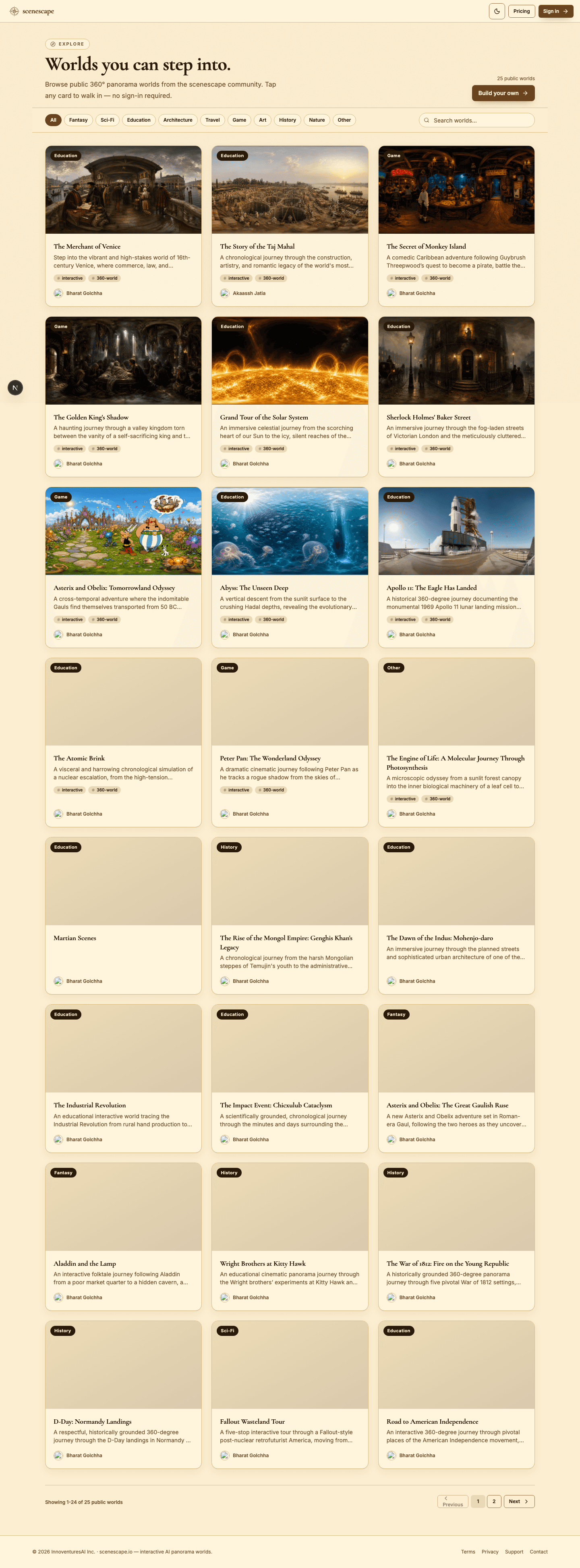
- You need to explain the difference between a world, a scene, a hotspot, and a portal.
- You are deciding whether to start from the AI World Builder or a blank manual world.
Step-by-step walkthrough
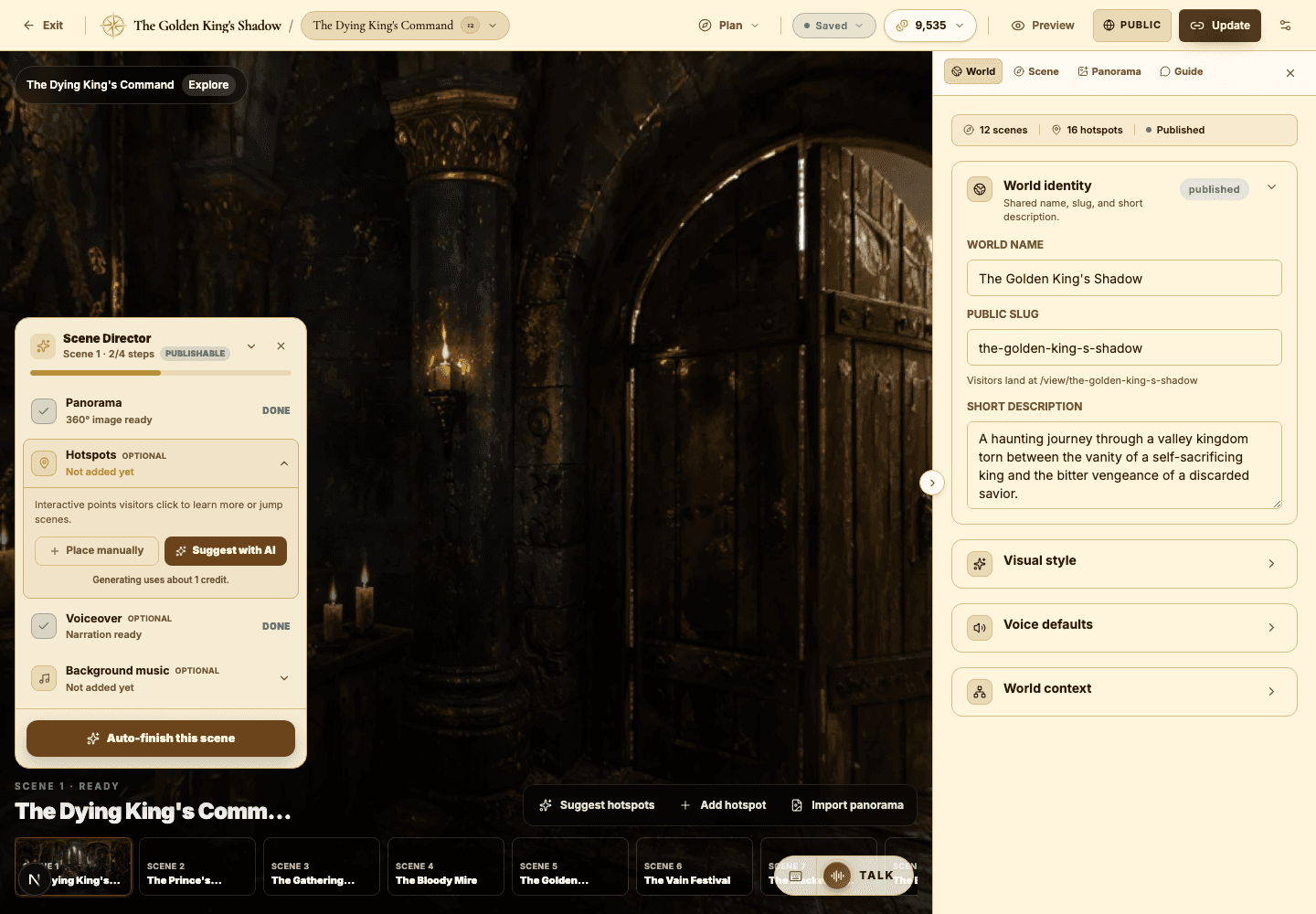
- Start with the world. A world is the whole authored experience — it has a name, a description, a set of scenes, a visibility setting, and a public URL you can share.
- Picture scenes as connected 360-degree rooms or moments. Every scene needs a panorama, and each one can carry its own narration, music, and AI Guide settings.
- Use hotspots to direct attention. An info hotspot teaches with a short note, a narration hotspot adds a spoken beat, and a portal hotspot carries the visitor to another scene.
- Reach for the AI Guide when visitors should be able to ask questions, get help interpreting a scene, or be quizzed on what they have seen.
- Choose visibility deliberately: private for your own review, unlisted for sharing a direct link, and public when you want the world discoverable in Explore.
Best practices
- Give every world one clear visitor goal — what should someone understand or feel by the end?
- Sketch your first three scenes before you generate a single panorama.
- Use hotspots sparingly so visitors still get the joy of exploring the image themselves.
- Always walk through your world as a visitor in Preview before you publish publicly.
Avoid these mistakes
- Treating a world like a slide deck instead of a place a visitor can inspect and move through.
- Generating a pile of scenes before the story or the route through them is clear.
- Adding portals with vague labels that never tell the visitor where they are about to go.
Go deeper
- Every memorable world has three things: a premise, a route, and a reason for the visitor to keep looking.
- The strongest scenes share visual anchors — recurring objects, colors, or framing — that tie the world together.
- Save Explore for worlds polished enough to land with a stranger who has zero context.
Screenshot callouts

Related next lessons
Start
Build your first world
A complete first-time workflow, from signing in to a polished, previewable 360-degree world.
ContinueView
Viewer guide
Understand the public viewer end to end — so creators design better worlds and visitors explore with confidence.
ContinueStart
Plans, credits, and usage
Understand plan limits, monthly credits, bonus credits, and exactly which actions spend credits.
Continue