Improve
Creator
Playbook
Playbook: travel or real estate walkthrough
Create a place-based walkthrough with a clear route, local context, and practical visitor guidance.
Travel or real estate
Goal
Help visitors truly understand a place before they ever arrive, visit, buy, rent, or plan.
When to use it
- You are building a destination preview, a property tour, a neighborhood walk, or a venue walkthrough.
- You want practical context layered on top of visual exploration.
- You need visitors to move through scenes along a natural, intuitive route.
Step-by-step walkthrough
- Order your scenes the way a visitor would physically walk the space.
- Use hotspots for the practical details: entry, amenities, views, routes, history, and constraints.
- Place portals on the doors, paths, rooms, and landmarks where movement actually happens.
- Keep narration grounded and genuinely useful — not over-romanticized.
- Configure the AI Guide as a local host or a property guide.
- Preview on mobile, because most visitors will open the shared link on a phone.
Best practices
- Use plain, recognizable scene names like Lobby, Rooftop, Courtyard, or East Trail.
- Place portals exactly where the visitor instinctively expects to move next.
- Keep hotspot copy short for practical facts people just want to scan.
- Avoid over-stylizing spaces that visitors need to inspect honestly.
Avoid these mistakes
- Creating beautiful scenes that don't match the real route through the space.
- Making key amenities hard to discover.
- Adding fictionalized detail when visitors need practical accuracy.
Go deeper
- Place-based worlds succeed when movement feels effortless and obvious.
- A good route answers questions before they ever become objections.
- Use the opening scene to orient visitors geographically — where am I, and where does this go?
Screenshot callouts
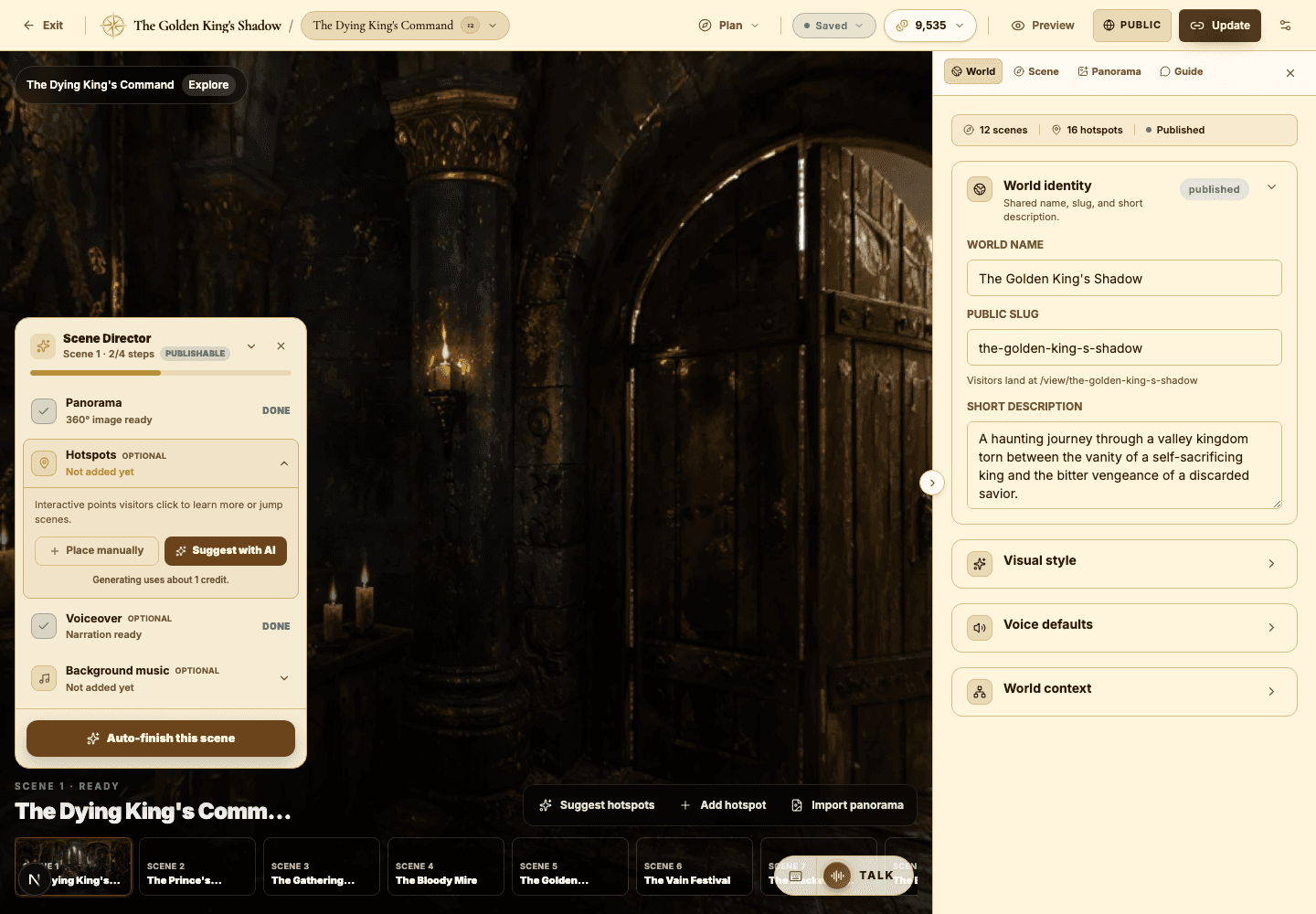
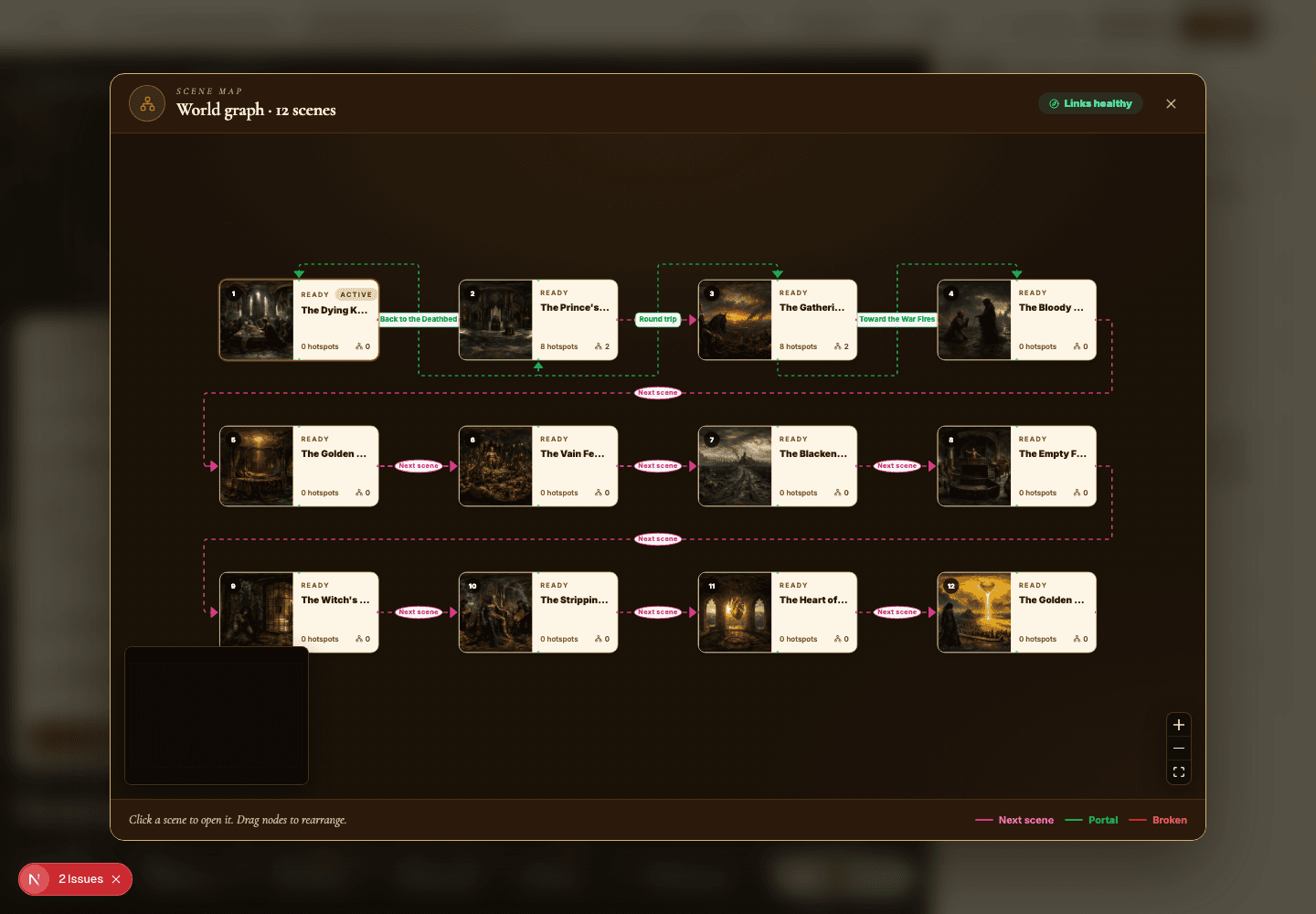
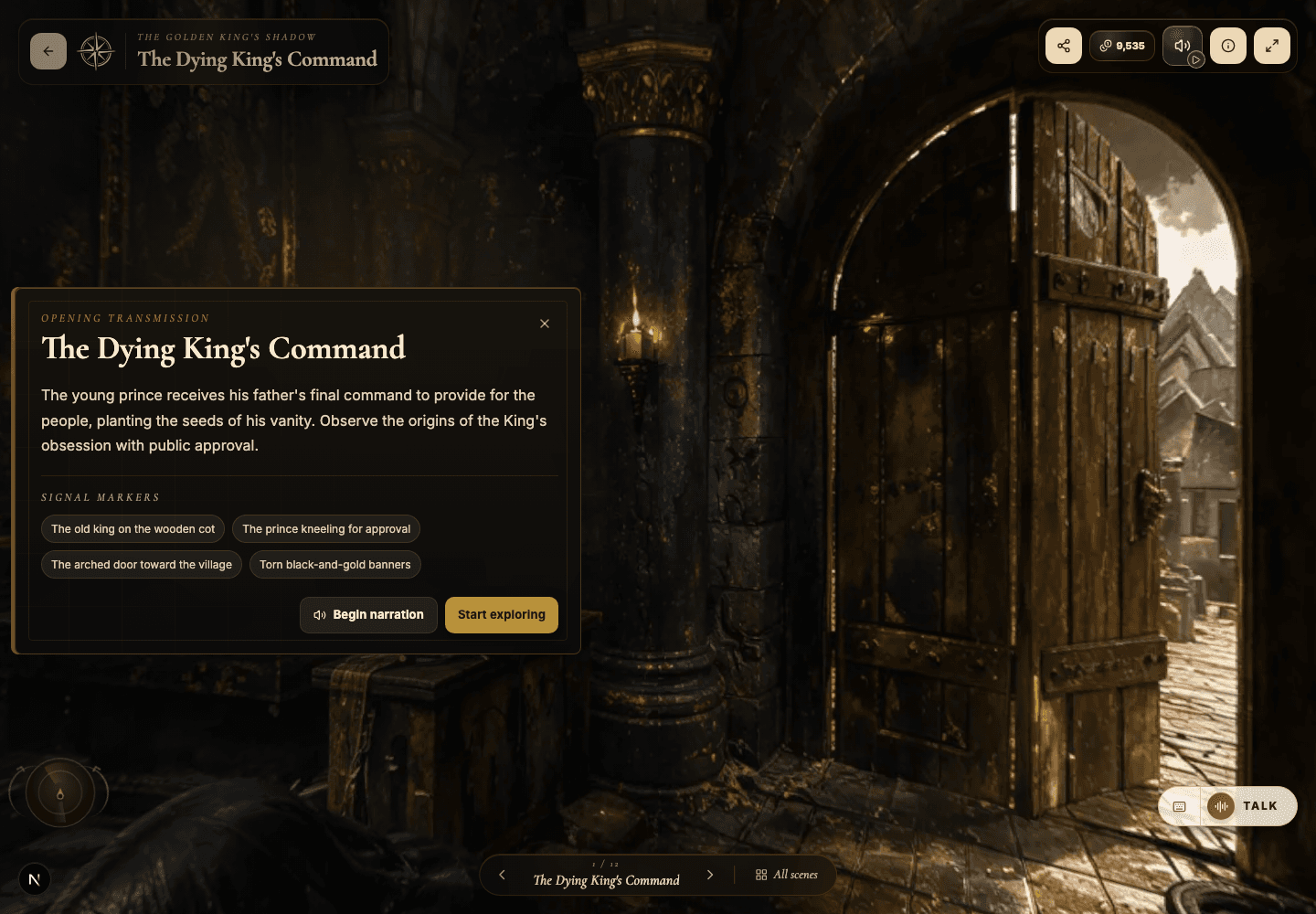
Related next lessons
Build
Story Plan and Scene Map
Use the planning tools to audit continuity, scene coverage, and portal navigation before visitors ever get lost.
ContinueImprove
Hotspots, narration hotspots, and portals
Design clickable moments that teach, tell a story, and move visitors smoothly through connected scenes.
ContinueView
Viewer guide
Understand the public viewer end to end — so creators design better worlds and visitors explore with confidence.
Continue